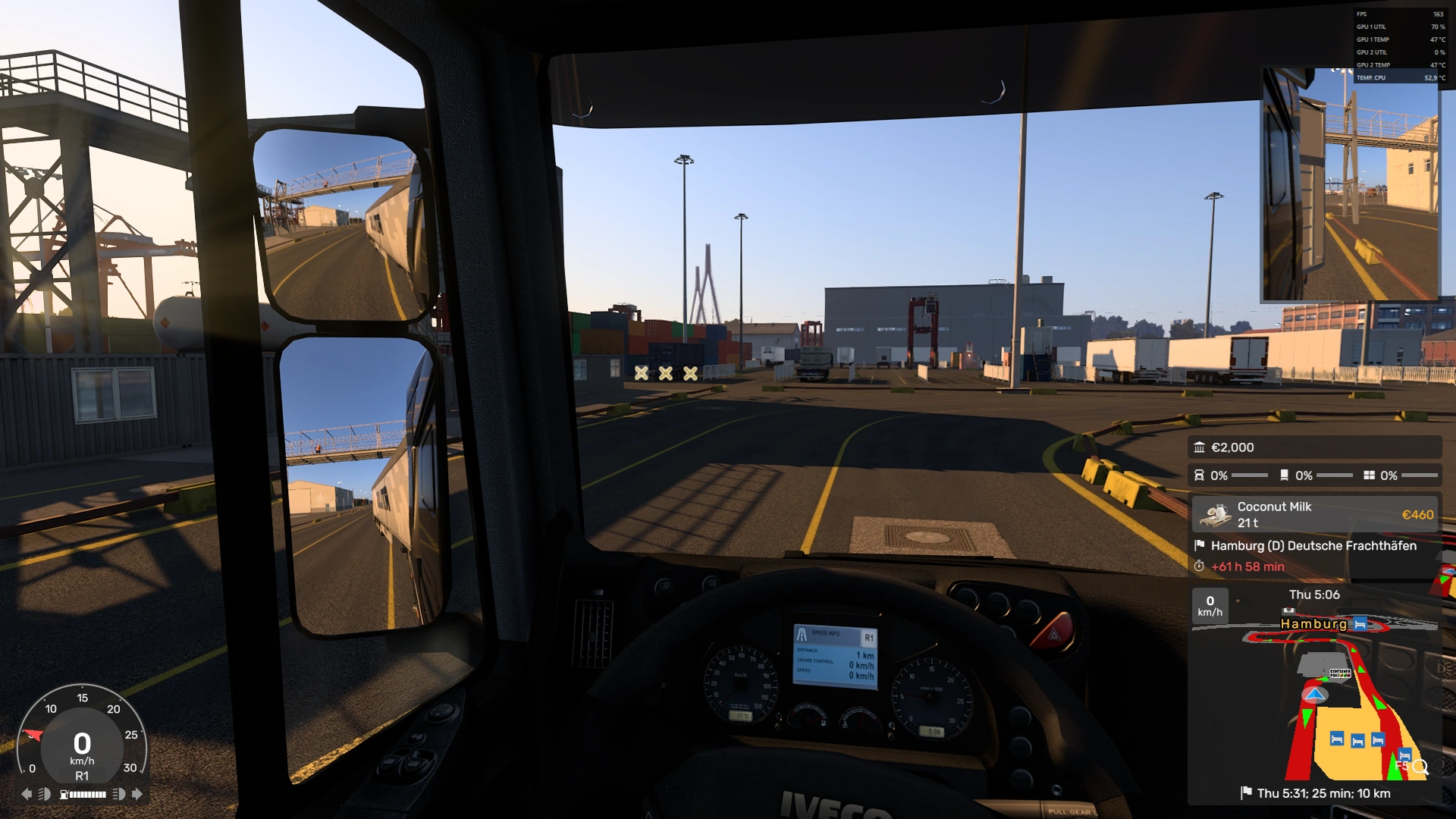
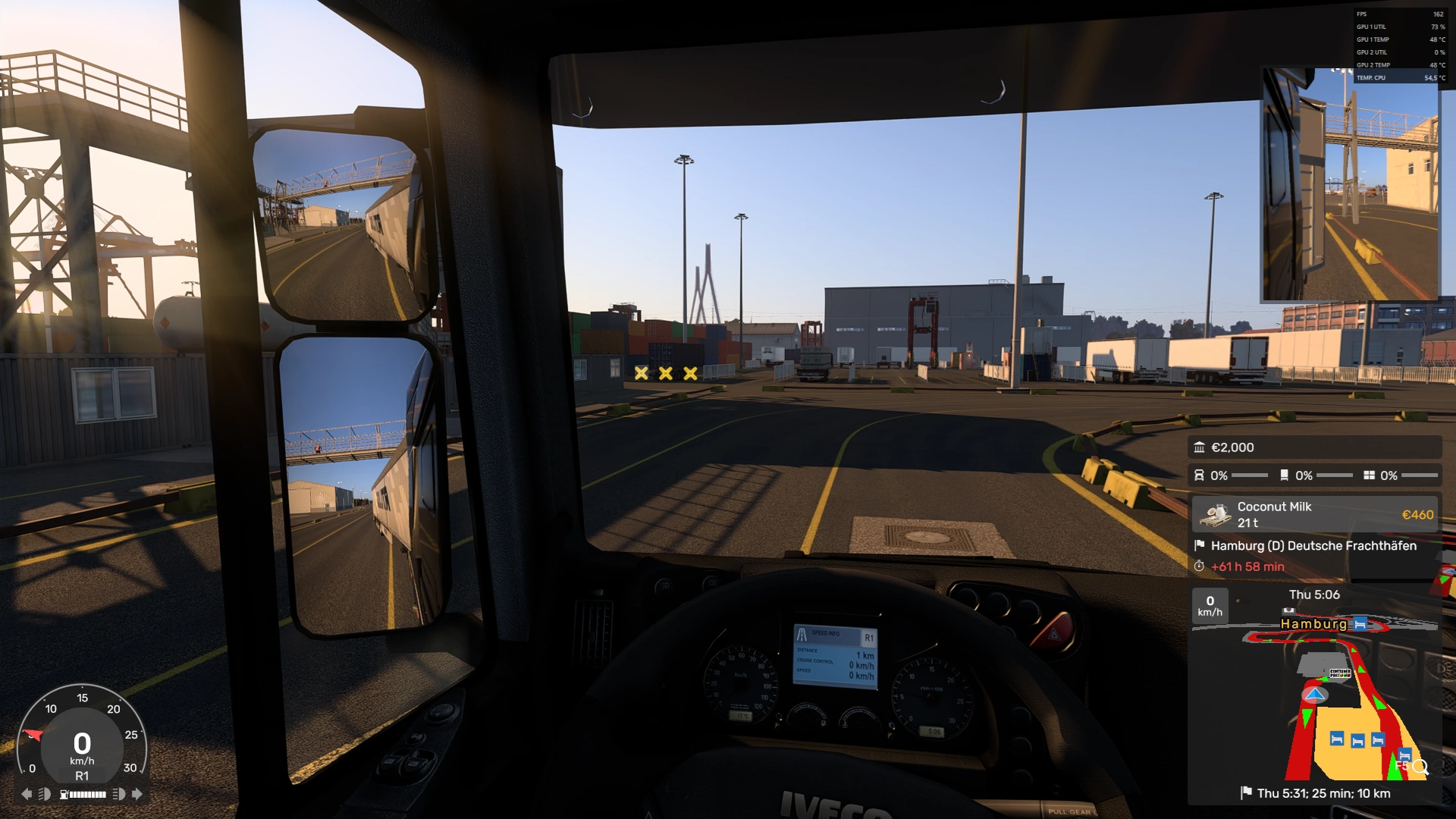
Experience Euro Truck Simulator 2 with a new visual perspective.

A free graphics mod that gives the game natural light, air, rain and night – and lets you tune every effect to your taste with sliders, live, without leaving the game. Now with AMD FSR 4.

Status
Coming soon
Version
1.2 · 17 Oct 2026
Requirements
ETS2 1.60 / 1.61 · DirectX 11
More
All features

01 What's new

What's new in 1.2

17 October 2026 · The biggest FormaMod update yet: AMD FSR 4, a new Night tab, street-lamp beams in the air, a starry sky and stronger film looks.

  • AMD FSR 4 in Euro Truck Simulator 2. AMD's latest AI-based upscaling replaces the game's anti-aliasing and scaling. A sharper, calmer image: wires, railings and treetops stop shimmering. You can lower the game's scaling to 75% or 50% and still enjoy a sharp image while your graphics card gets a break. Radeon RX 9000 and RX 7000 run FSR 4; other cards, including GeForce, run FSR 3.1. The mod picks the best version itself and shows the resolution it works at.
  • Night tab – everything that makes the mood after dark, in one place.
  • Lamp beams – street-lamp light is visible in the air as soft, glowing beams, denser in fog and rain. Driving through a town at night looks like a film. One slider sets the strength.
  • Starry sky (alpha test) – thousands of stars and the band of the Milky Way above a dark road far from towns, when the moon is in the sky. Stars hide in city glow, behind clouds and in rain, and stay still as you turn the camera, like a real sky.
  • Light halo with its own switch – the glow of lamps and headlights in the air, matched to the lamp beams.
  • Thin line stabiliser – distant wires and poles stop shimmering.
  • Stronger film looks – Warm film, Cool morning, Cinema, Neon night and Documentary now have a clear, cinematic character, and the film grain is more tangible.
  • Clearer dashboard reflection in the windscreen (alpha test) – the cab comes alive, especially in sunlight.
  • Realistic wet road at night – the surface glistens with moisture, without fake mirror reflections.
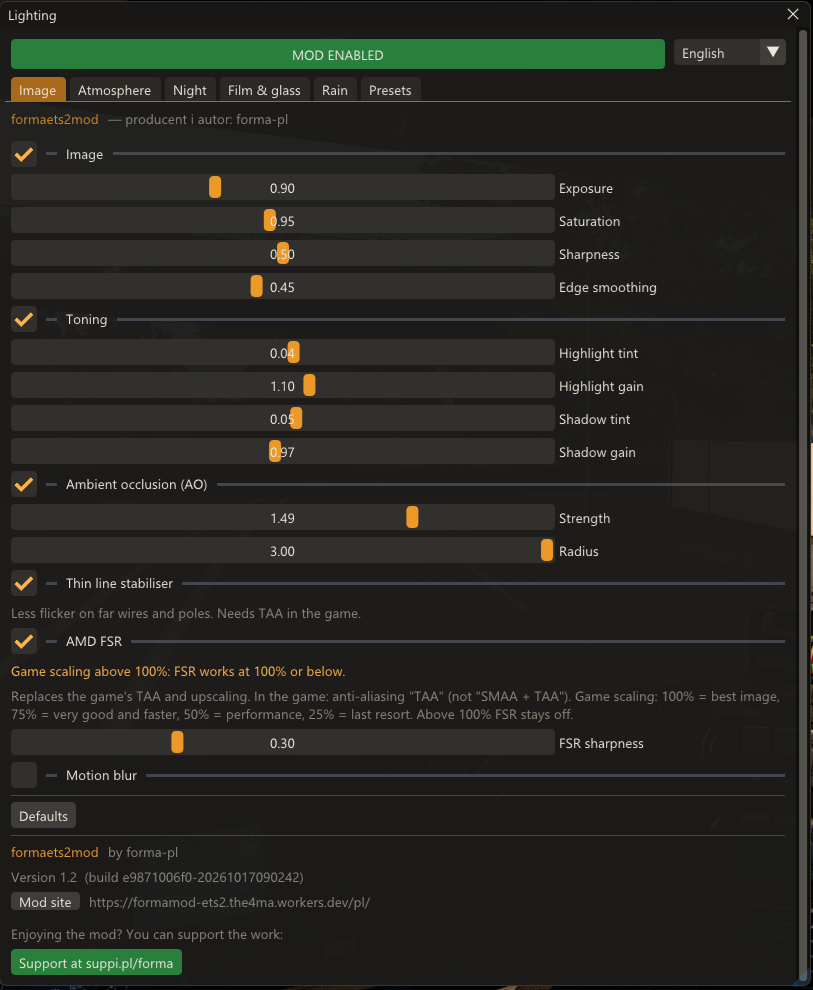
  • New mod window – Image, Atmosphere, Night, Film & glass and Rain tabs, short and clear descriptions, everything at hand.
  • Quick before/after comparison – Ctrl + Alt + Minus turns the mod on and off even with the window closed.
  • All effects at any game scaling – fog with depth, shading in corners, lamp beams and motion blur also work at 75% or 50%.
  • Motion blur shows whether it works – below the switch you can see whether data arrives from the plugin and how fast you are driving.
  • Performance optimisations – lighter night effects, smoother beams and less GPU load, especially with FSR on.
Version 1.1 – 15 October 2026
  • “Film & glass” tab in the mod window.
  • Film look – five ready looks: Warm film, Cool morning, Cinema, Neon night and Documentary. Each reacts to the game: warmer at golden hour, cooler and flatter in rain, and at night colours fade slightly towards blue. The Look amount slider applies it gently or fully.
  • Film grain, vignette and halation – a reddish glow around lamps and headlights, like on film stock.
  • Dashboard reflection in the windscreen (cab view) – clear when the sun shines on the cockpit.
  • Forma Custom now has motion blur and TAA smoothing off by default – turn them on in the Image tab.
  • The mod window's footer shows the mod version.
Version 1.0 – 15 October 2026

First version for players: in-game settings window, tone and image, ambient occlusion, atmosphere, sun rays, lights in the air, automatic night, wet roads, raindrops on glass, motion blur, temporal anti-aliasing, presets shared as a text code, and multi-monitor support.

02 Features

You tune everything

Dozens of settings in the Image, Atmosphere, Night, Film & glass and Rain tabs. Every slider works instantly – you see the change in the game at the same moment, with no restart and no file editing. Each section has its own switch, and a slider set to 0 turns the effect off completely, including its GPU cost.

New in 1.201

AMD FSR 4

AMD's AI-based upscaling instead of the game's anti-aliasing and scaling: a sharper, calmer image and more FPS at 75% or 50% scaling. Radeon RX 9000 and RX 7000 – FSR 4; other cards (including GeForce) – FSR 3.1.

AMD FSR · FSR sharpness

New in 1.202

Lights at night

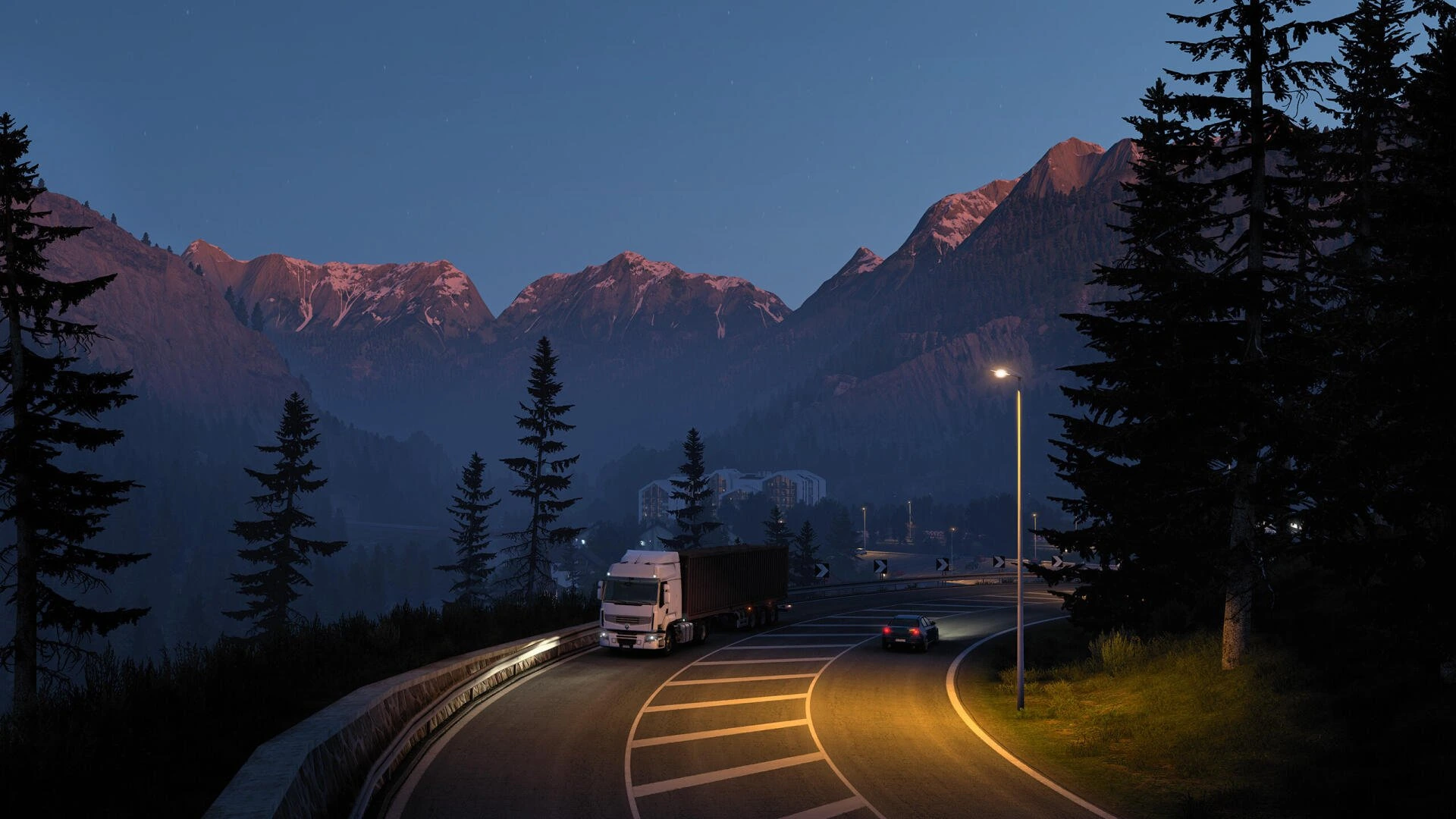
Street-lamp light is visible in the air as soft beams, denser in fog and rain, and lamps and headlights get a matching glow.

Lamp beams · Light halo · Halo sensitivity

New in 1.2 · alpha03

Night sky

Thousands of stars and the band of the Milky Way far from towns, when the moon is in the sky. Stars hide in city glow, behind clouds and in rain, and stay still as you turn the camera.

Stars · Milky Way

Available04

Air

Air you can see: haze in the distance, sunlight scattered in the air and shadow streaks cast by trees, buildings and vehicles. Colours come from the game's sun and sky, so they match the time of day and weather.

Air density · Haze brightness · Sunlight in the air · Shadow streaks · Cabin glow

Available05

Sun rays

Rays spreading from the sun across the screen, cut by the cab pillars, trees, overpasses and buildings.

Ray strength · Ray length · Ray softness

Available06

Film & glass

Five film looks – Warm film, Cool morning, Cinema, Neon night and Documentary – that react to golden hour, rain and night. Plus grain, vignette, halation and the dashboard reflected in the windscreen (alpha test).

Look · Look amount · Grain · Vignette · Halation · Dashboard reflection

Available07

Toning

Colour and brightness of light and shadows, separately: a warmer or cooler sun, cool bluish or warm shadows, lighter or deeper.

Highlight tint · Highlight gain · Shadow tint · Shadow gain

Available08

Image

Exposure applied before the game's tonemapping (no blown highlights), saturation, adaptive sharpening without halos, and smoothing of jagged edges on foliage, wires and railings.

Exposure · Saturation · Sharpness · Edge smoothing

Available09

Ambient occlusion

Darkens corners, ground contact, trailer undersides and wheel wells, so vehicles and buildings stop “floating” above the road. Only sky light is darkened – surfaces in direct sun stay bright, with no dirty halos.

Strength · Radius

Available10

Thin line stabiliser

Calms the shimmer of distant wires, poles and railings. Works together with the game's TAA (it must be enabled in the graphics settings).

Available11

Motion blur

The passing scenery blurs as you drive, while the cab and dashboard stay sharp. The blur comes from the truck's actual movement (the game's official telemetry), so it grows with speed and disappears when you stop.

Strength · Length

Available12

Wet road

Instead of a flat mirror – real wet asphalt: reflections of lights and trees stretched into vertical streaks, calmer and softer. At night the surface glistens with moisture.

Wetness in rain · Wetness always · Reflection strength, smoothness, stretch and softness

Available13

Drops on glass

Drops act like small lenses: they bend the image behind them more clearly, have a smoother shape and a clean outline instead of blocky blotches.

Lens strength · Blur inside drop · Outline crispness

Available14

Day and night – automatically

The mod recognises the time of day on its own. At golden hour the rays are at full strength, after sunset they fade smoothly, and at night street lamps and headlights light up the air. Nothing to switch.

Available15

Presets

The mod starts with the author's tuned Forma Custom preset, and the defaults button always returns to it. Save your own settings under a name and share them with others as a single line of text.
Planned

  • Reflections of lights and vehicles on wet roads and water.
  • Dirt and smudges on the windscreen, visible against the sun and oncoming headlights.
  • Contact shadows – short, sharp shadows under wheels and small details.
  • Bounced light – the colour of grass and walls on nearby objects.
  • Full tonemapping and HDR.
  • Further polishing of effects on side monitors.

04 Downloads

Download FormaMod

FormaMod is free. You download a single ZIP package, no sign-up needed. There is no installer and nothing runs alongside the game. The mod does not modify game files – remove its files and the game is exactly as before.

Version 1.2 · 17 Oct 2026

FormaMod.zip

No public release is available yet.

Build

1.2 · e9871006f0-20261017090242

Requirements

  • Euro Truck Simulator 2 (tested on 1.60 and 1.61), DirectX 11 mode (the default), single player.
  • AMD and NVIDIA cards. Various resolutions, including 4K and triple monitors (NVIDIA Surround).
  • Weaker PC: set Shadow streaks (Atmosphere tab) and Lamp beams (Night tab) to 0 for the biggest FPS gain. Or turn on AMD FSR and lower the game's scaling.

In the package

  • dinput8.dll – the mod itself,
  • lighting_ng folder – the effects (shaders) and AMD FSR files (lighting_ng\fsr),
  • plugins\forma_telemetry.dll – plugin for motion blur,
  • instructions INSTALL.txt (English) and INSTALACJA.txt (Polish), CHANGELOG.txt and LICENSE.txt.

Installation

  1. Close the game.
  2. Extract FormaMod.zip anywhere.
  3. Open the game folder: in Steam, right-click Euro Truck Simulator 2 → Manage → Browse local files, then go to bin\win_x64.
  4. Copy dinput8.dll, the lighting_ng folder and the plugins folder there. If plugins already exists, just add forma_telemetry.dll to it. When updating from an older version, replace the old files.
  5. Done – start the game normally from Steam and the mod starts with it.

First launch

  1. The game may ask you to allow the SDK plugin (forma_telemetry.dll) – click OK / Enable. The plugin only reads the truck's movement for motion blur.
  2. In game, press Ctrl + Alt + Plus to open the mod window.
  3. The mod starts switched off. Click MOD at the top of the window – all effects turn on at once with the Forma Custom preset.
  4. Esc or the same shortcut closes the window; effects keep running. Ctrl + Alt + Minus turns the mod on and off even with the window closed – a quick before/after comparison. Hold the right mouse button outside the window to look around in game.

AMD FSR

  1. Turn on AMD FSR in the Image tab. The mod picks FSR 4 (Radeon RX 9000 / RX 7000) or FSR 3.1 (other cards, including GeForce) itself.
  2. In the game's graphics settings, set anti-aliasing to TAA (not “SMAA + TAA”).
  3. Game scaling at 100% or lower: 100% – best image, 75% – very good and faster, 50% – performance. Above 100% FSR does not turn on.
  4. Below the switch you can see whether FSR is running and at what resolution.

Problems? Check the FAQ or report a bug.

05 Support

FormaMod is free. You can help it grow.

If you enjoy the mod, you can support the developer on Suppi. Every contribution means more time for new features, fixes and testing. Support is entirely voluntary – it does not unlock any features and is never required to download. There is also a support button in the mod window's footer.

Support on Suppi suppi.pl/forma

06 FAQ

Frequently asked questions

What is FormaMod – ETS2?

A free graphics mod for Euro Truck Simulator 2 (shown in game as formaets2mod). It adds atmosphere, sun rays, night lights and stars, ambient occlusion, wet roads, raindrops on glass, film looks, motion blur and AMD FSR – with sliders you tune live. It is an independent project, not affiliated with SCS Software.

Is FormaMod free?

Yes, FormaMod is free. If you like, you can voluntarily support the project. The mod may not be sold or resold. A free download does not transfer any rights to the software or make its source code open.

Is FormaMod open source?

No. FormaMod is proprietary, closed-source software. A free download does not grant users ownership of the software or make its source code open source. See the terms of use.

Where can I download the mod?

Only from the Downloads section of this site. Do not download FormaMod from other websites.

How do I install the mod?

Copy dinput8.dll, the lighting_ng folder and the plugins folder from the package into the game's bin\win_x64 folder. The game loads dinput8.dll by itself at startup, so you need no injector and nothing running in the background. Full steps are in the Downloads section.

How do I update to version 1.2?

Close the game, download the new package and copy its contents into bin\win_x64, replacing the old files. Your own presets are kept. The version number is shown in the mod window's footer.

How do I turn on AMD FSR, and does it work on GeForce?

Turn on AMD FSR in the Image tab. Radeon RX 9000 and RX 7000 run FSR 4; other cards, including GeForce, run FSR 3.1 – the mod picks itself. In the game, set anti-aliasing to TAA (not “SMAA + TAA”) and scaling to 100% or lower; above 100% FSR does not turn on. Below the switch you can see whether FSR is running and at what resolution.

How do I open the mod window?

In game, press Ctrl + Alt + Plus. The mod starts switched off – click MOD at the top of the window. While the window is open, the mouse belongs to it, so moving sliders does not turn the camera. The window is available in English and Polish. On multiple monitors it appears on the left screen.

The game asks about “advanced SDK features”. What is that?

It is the game's official plugin mechanism. The forma_telemetry.dll plugin only reads the truck's movement, which motion blur needs. Click OK / Enable.

What hardware does the mod run on?

AMD and NVIDIA cards, at various resolutions including 4K and triple monitors (NVIDIA Surround) – effects work on every screen. DirectX 11 mode (the ETS2 default) is required. Effects that are switched off or set to 0 cost no GPU time. On weaker hardware, set Shadow streaks and Lamp beams to 0, or turn on AMD FSR and lower the game's scaling.

Does the mod work in multiplayer?

The mod is intended for single player.

Does FormaMod work with other mods?

If another mod also uses a dinput8.dll file, rename its file to dinput8_next.dll and leave it next to ours. FormaMod loads it by itself and both mods will work. Combinations with other graphics mods have not been widely tested.

How do I save and share my settings?

In the Presets tab, save the current settings under any name – a preset stores every slider and every section switch. Copying the settings code gives you one line of text to paste in a chat or forum; the other person pastes it and gets exactly your look. The built-in Forma Custom preset cannot be overwritten.

The mod window shows a red message.

If something is missing, the window says in red what it is and the mod switches itself off – the game then runs normally. Check that all files from the package are in the bin\win_x64 folder.

How can I report a bug?

Write to the address in the Contact section and attach the lighting_ng.log file the mod writes next to dinput8.dll.

How can I uninstall FormaMod?

Delete dinput8.dll, the lighting_ng folder and plugins\forma_telemetry.dll from the bin\win_x64 folder. The game returns exactly to its state before installation.

07 Contact

Contact and bug reports

A contact address has not been published yet.

Do not send passwords, access tokens, private keys or unnecessary personal data.

What to include in a bug report

  1. FormaMod version (shown in the mod window's footer) and ETS2 version.
  2. The lighting_ng.log file from the bin\win_x64 folder.
  3. Hardware (graphics card, CPU), operating system, resolution or number of monitors.
  4. Relevant game and mod settings (easiest: your settings code), including whether FSR is on.
  5. Steps to reproduce.